

Before You Start
- Not available to Users. Managers, Administrators, and Super Administrators only.
- You must create an agent before you can create a workflow, every workflow needs to belong to one.
Agents
Agents are also referred to as “Chronicle producers” in the UI and API documentation, both terms mean the same thing. An agent is really just a bucket: a category one or more workflows belong to, and where the events those workflows generate get written. You can theme agents however makes sense for your organization:- By individual use case - e.g., a “PPE Detection” agent holding a single workflow for validating PPE use, or two workflows, one for capturing and logging valid PPE and another for non-compliance.
- By larger functional bucket - e.g., a Productivity agent covering OEE/OLE data and workflows, a Safety agent for all EHS workflows and use cases, and a Security agent.
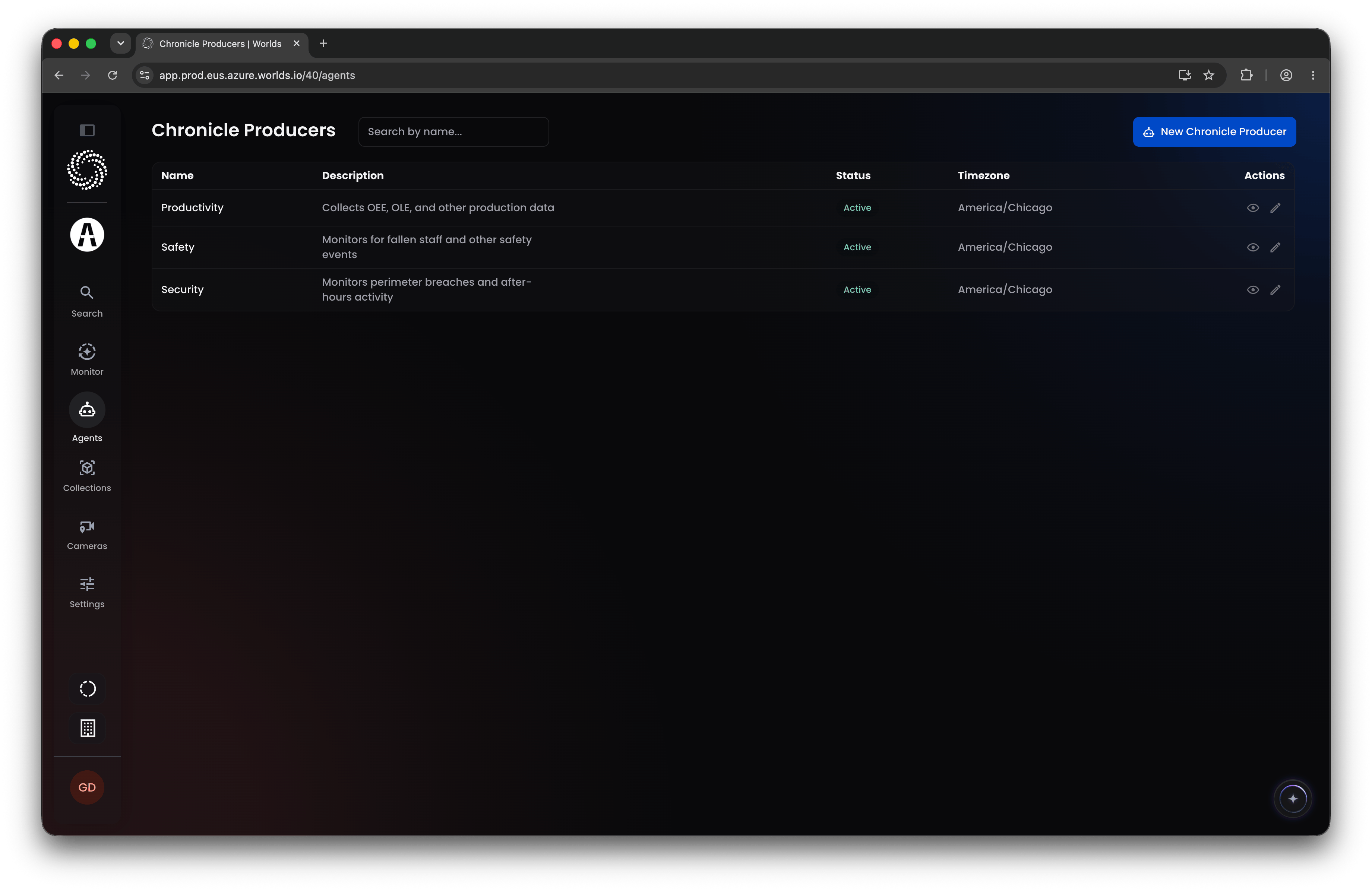
Step 1: Create an Agent
Click New Chronicle Producer in the top right. Only a name is required; description, time zone, and active/inactive status are optional. Click into any existing agent to edit that information later.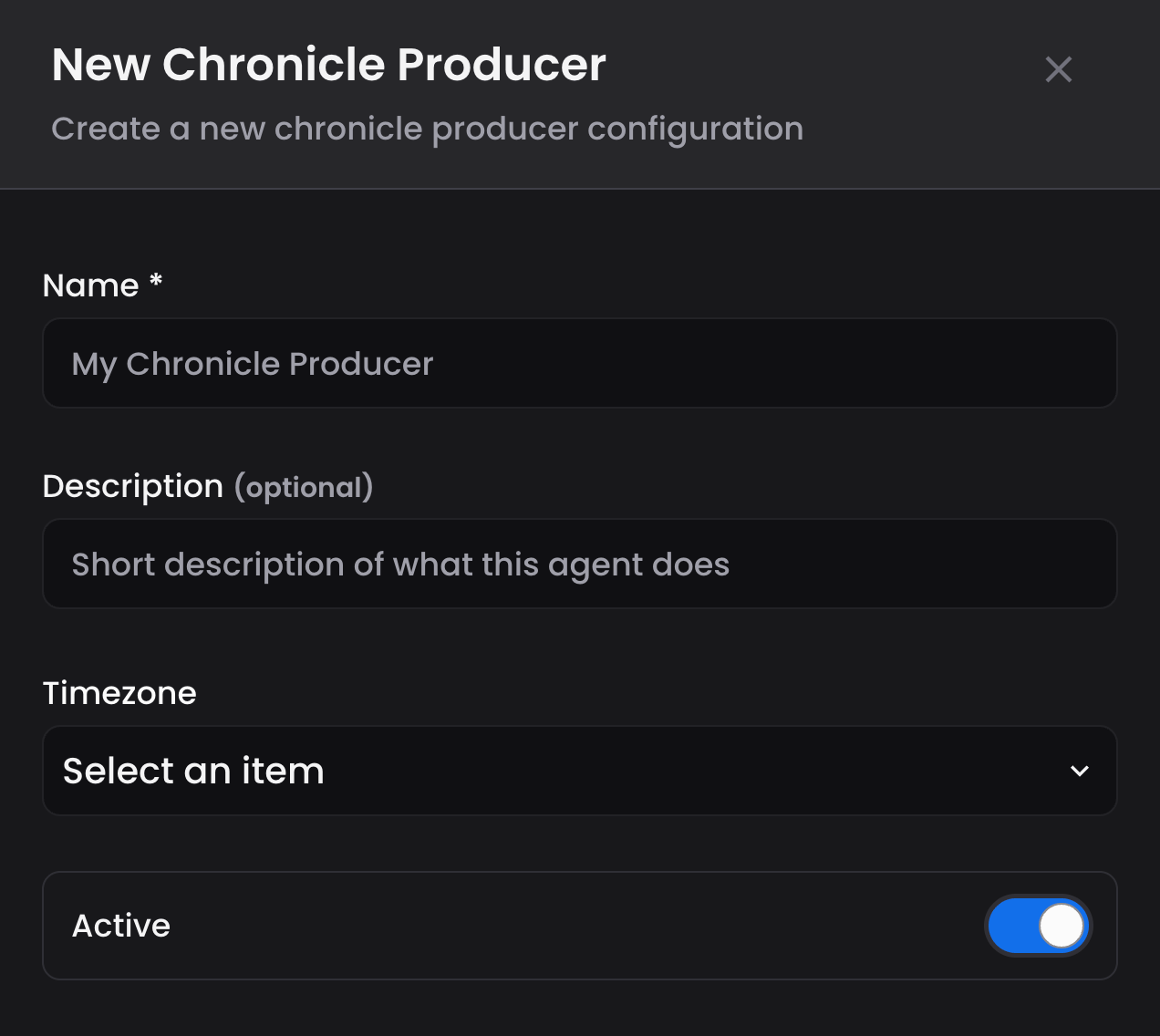
Workflows
Clicking Workflows in the navigation opens Worlds’ fully embedded, customized n8n instance in a new tab. Custom Worlds nodes handle evaluating trigger conditions, creating and posting events, generating event assets, and managing GraphQL subscriptions for live data. On top of that, you get the full native n8n platform: custom coding blocks, third-party integrations, and alerts or notifications routed to Slack, email, and other channels, all from the same canvas. Note: SSO is enabled for n8n across all production environments, so you should land there already logged in. n8n permissions are managed independently from Worlds, though, so you may need an n8n administrator to grant you access to specific workflows you want to edit, clone, or reference. For general n8n platform basics, see n8n’s website. For how to use Worlds’ custom nodes within your n8n instance, see the Workflows documentation.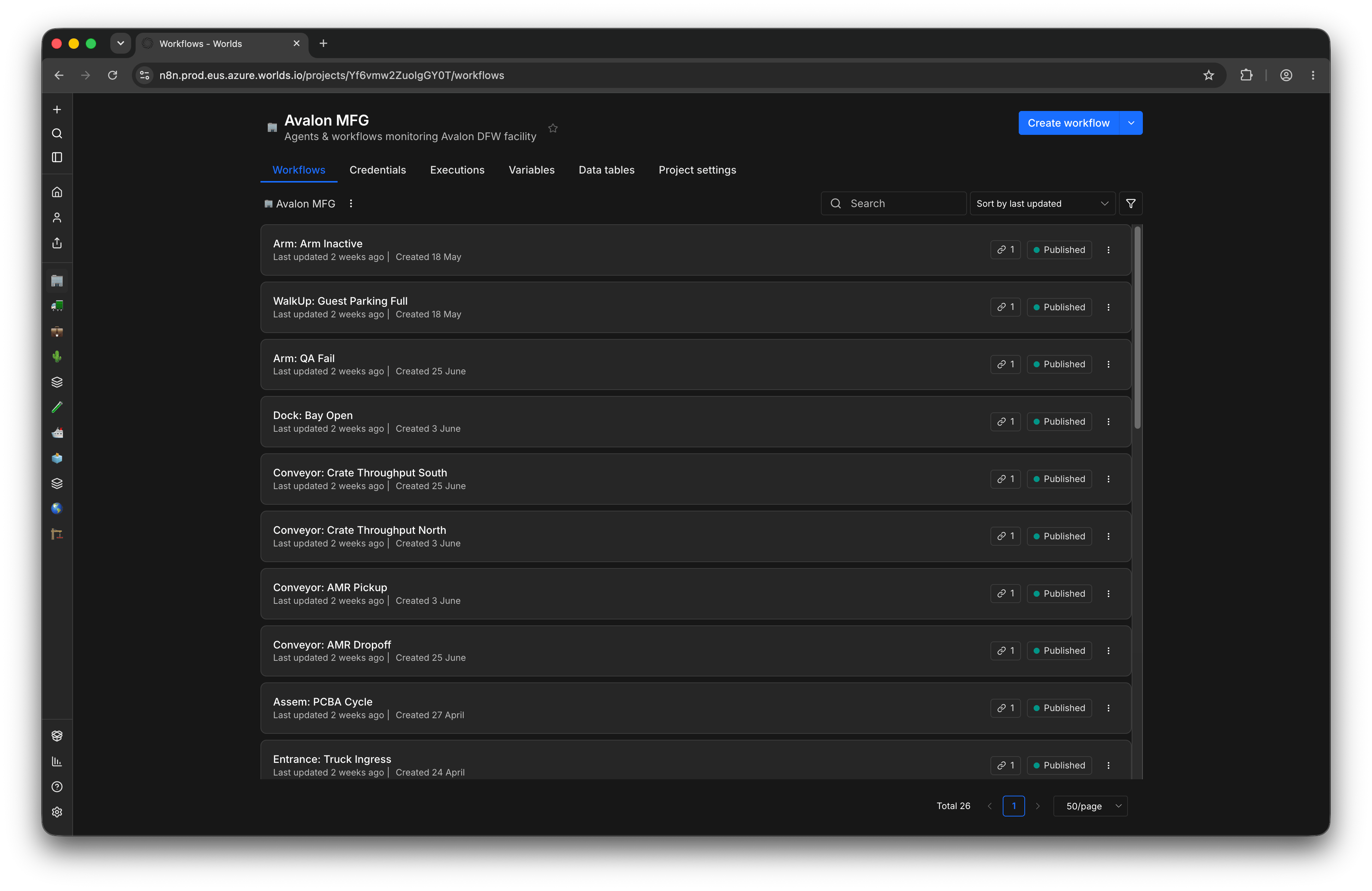
Quick Reference
- Access - Manager, Administrator, Super Administrator; not available to Users
- Agents (Chronicle Producers) - the bucket a workflow belongs to; create one before creating any workflow; name required, description/time zone/active status optional
- Workflows - opens Worlds’ embedded n8n instance; custom Worlds nodes plus full native n8n functionality
- Permissions - your Worlds role controls access to this section; n8n access itself is managed separately